How to Use Promo Codes on Amazon
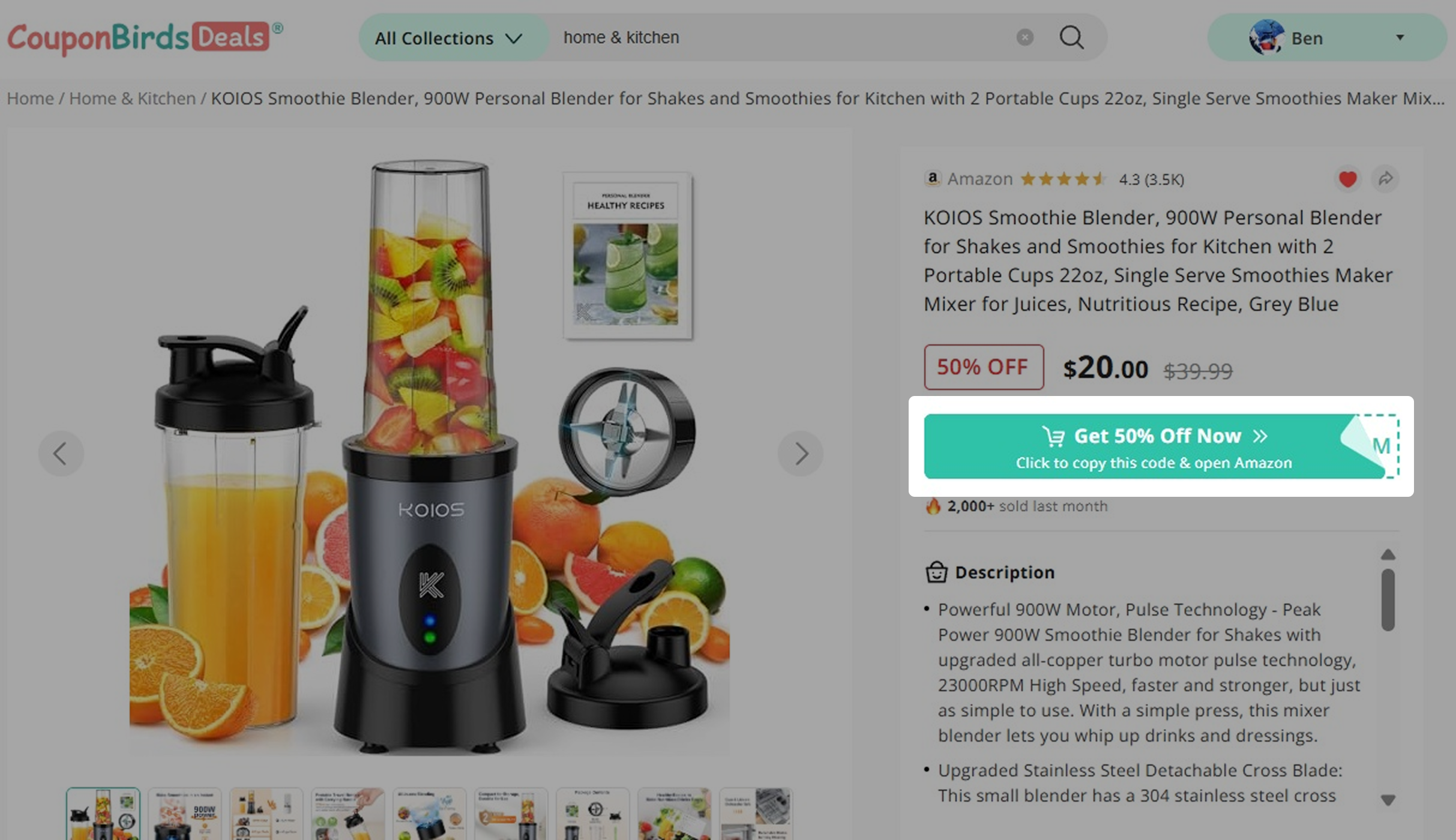
1. Get the Code from CouponBirds
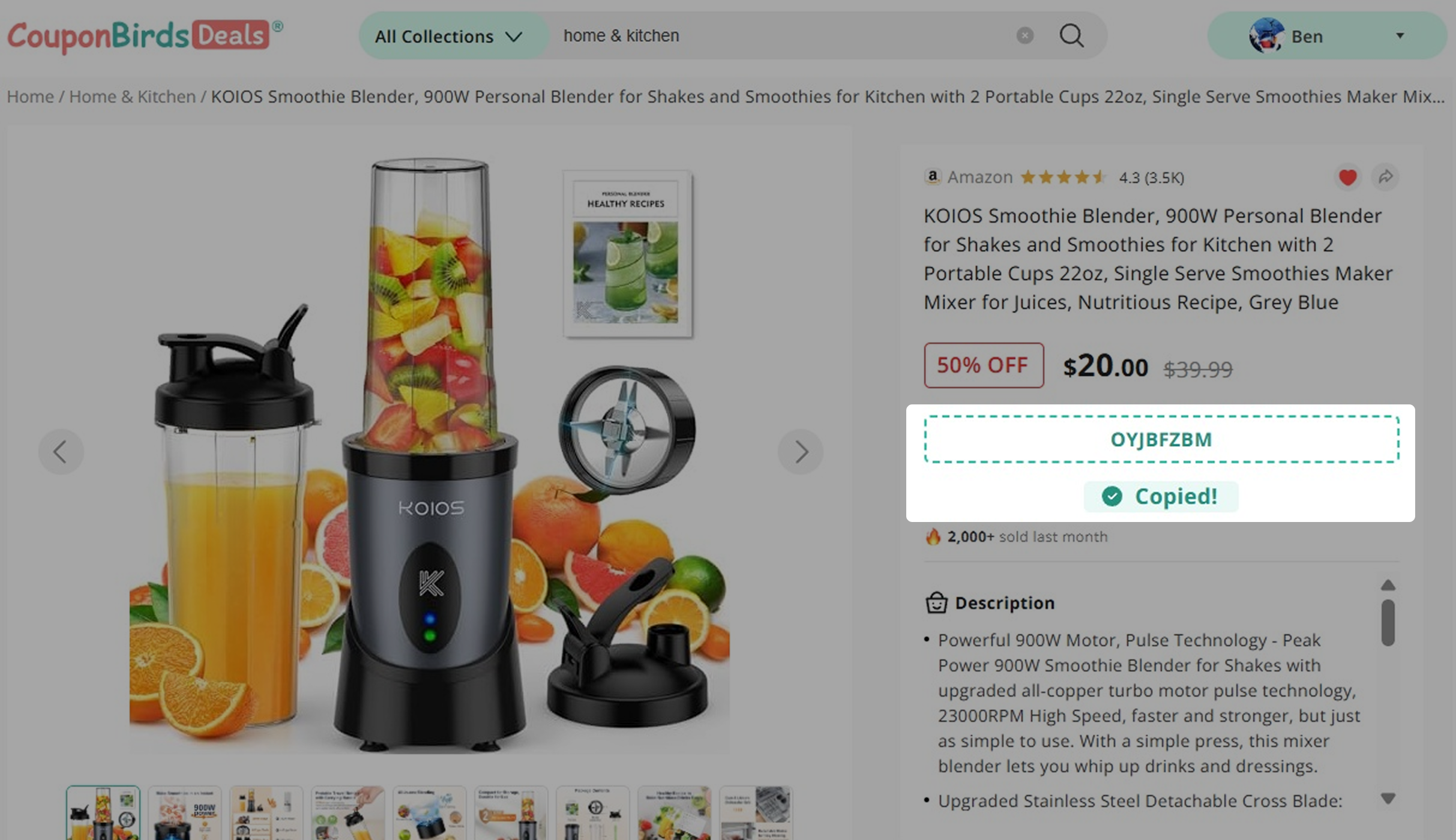
Click Copy Code. The promo code will be copied to your clipboard automatically, and you will be redirected to the Amazon product page.
2. Check for Additional Coupons
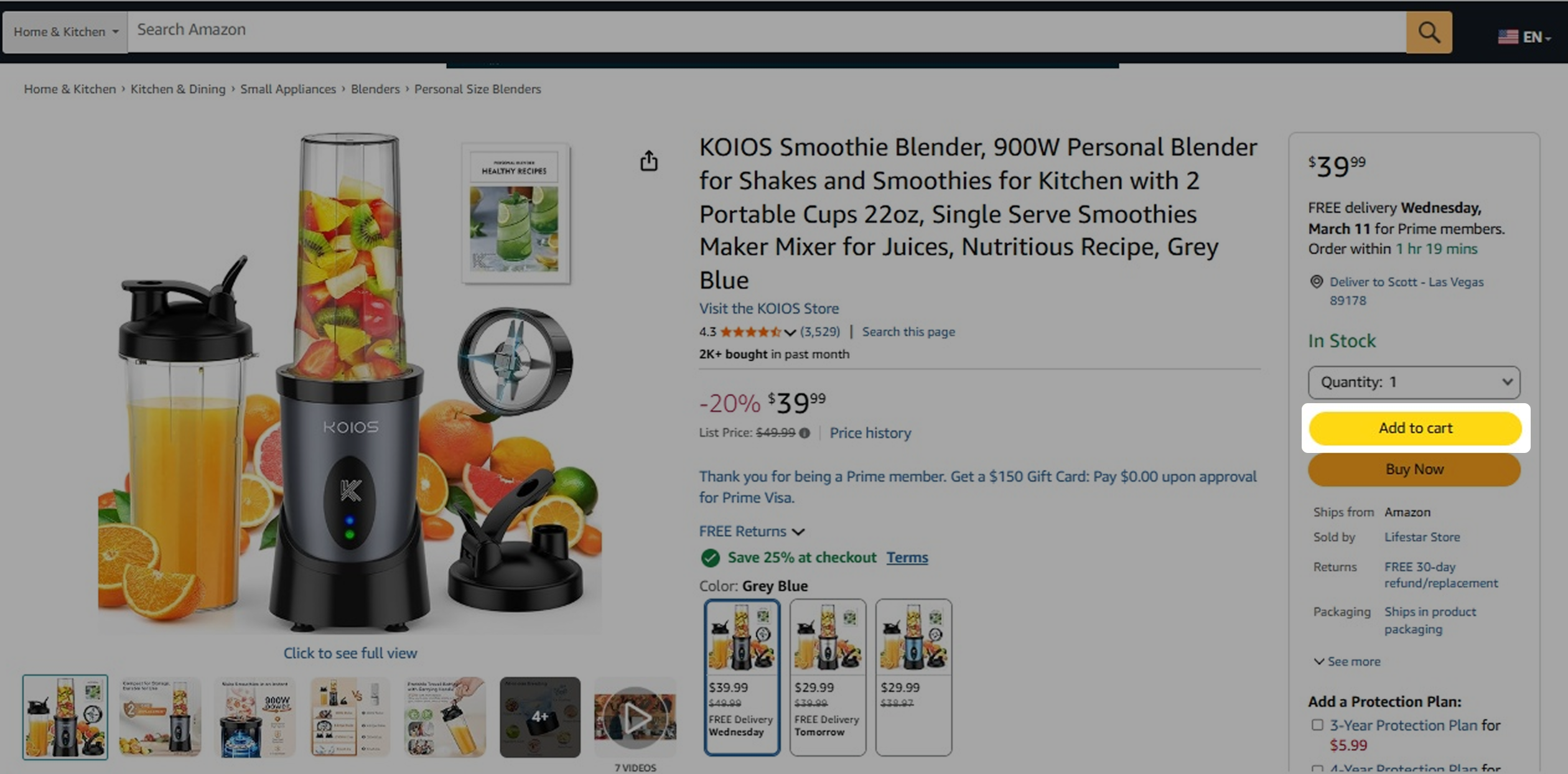
On the Amazon product page, look for any extra Clip Coupon to unlock additional savings.
3. Apply Your Promo Code
Option 1: Apply a Promo Code After Clicking Buy Now
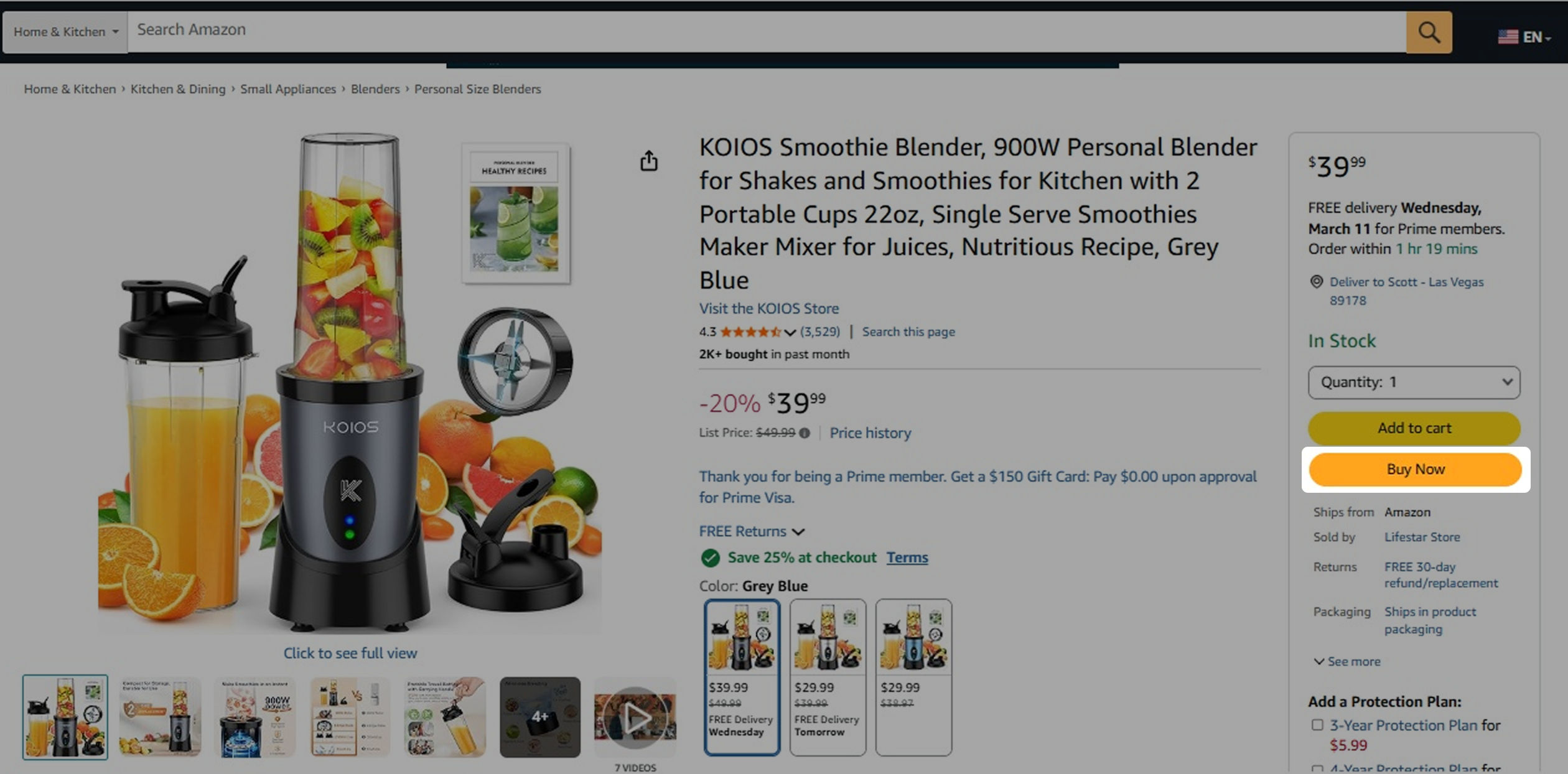
- (1) Click Buy Now on the Amazon product page.
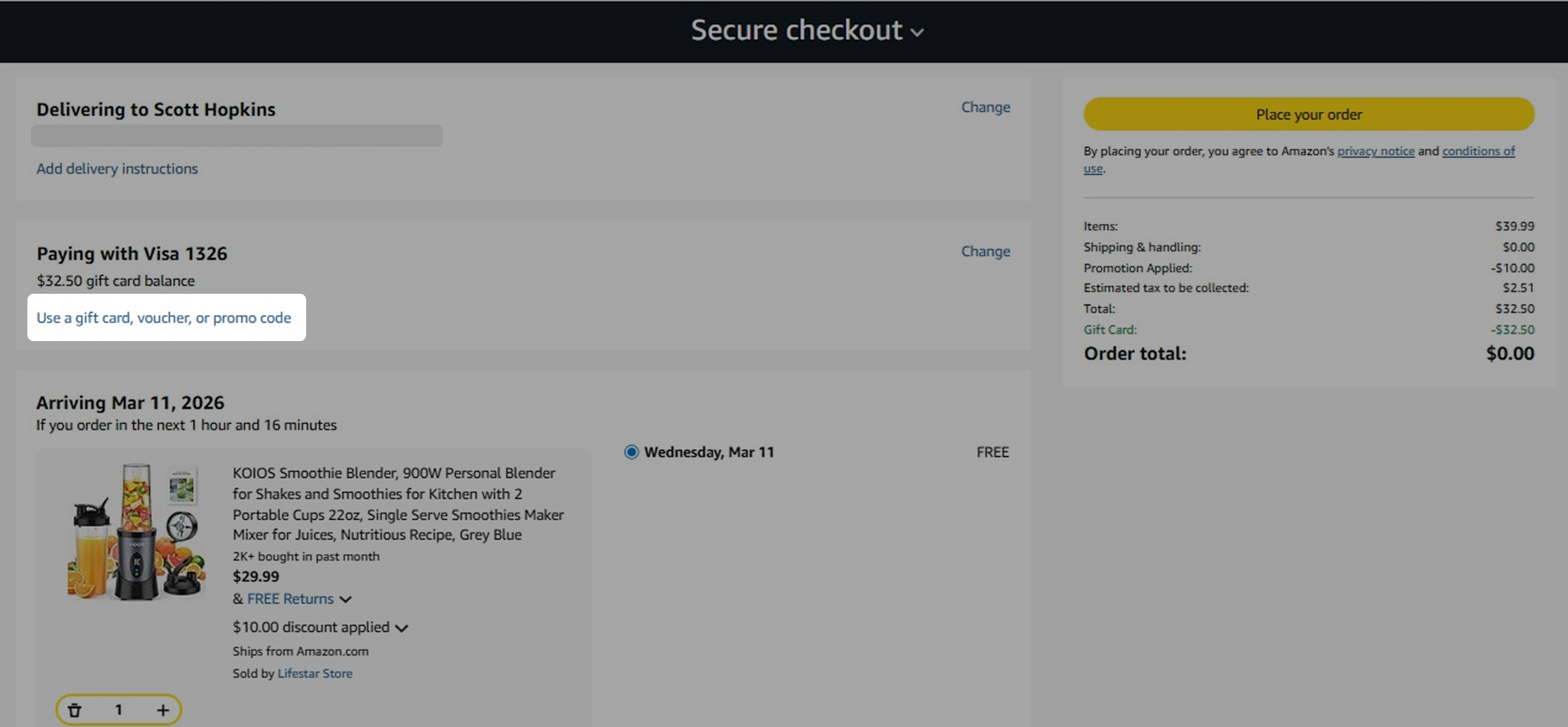
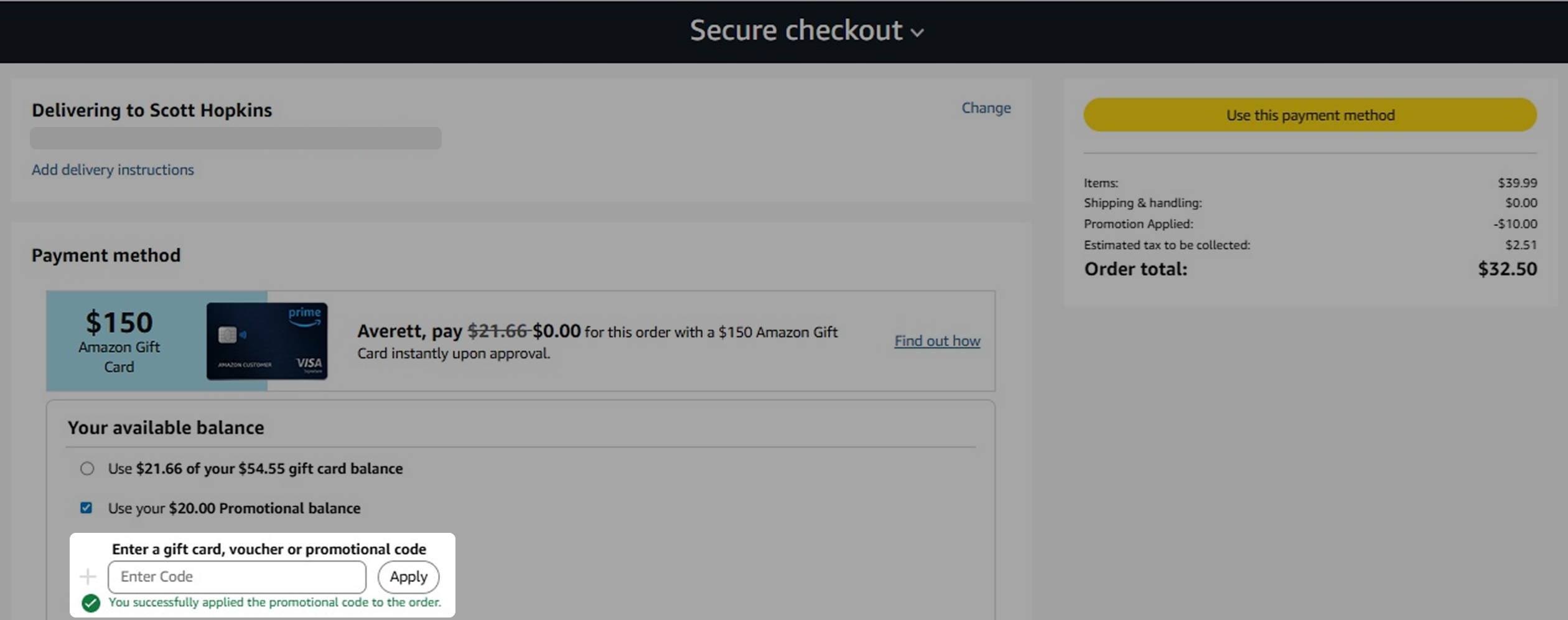
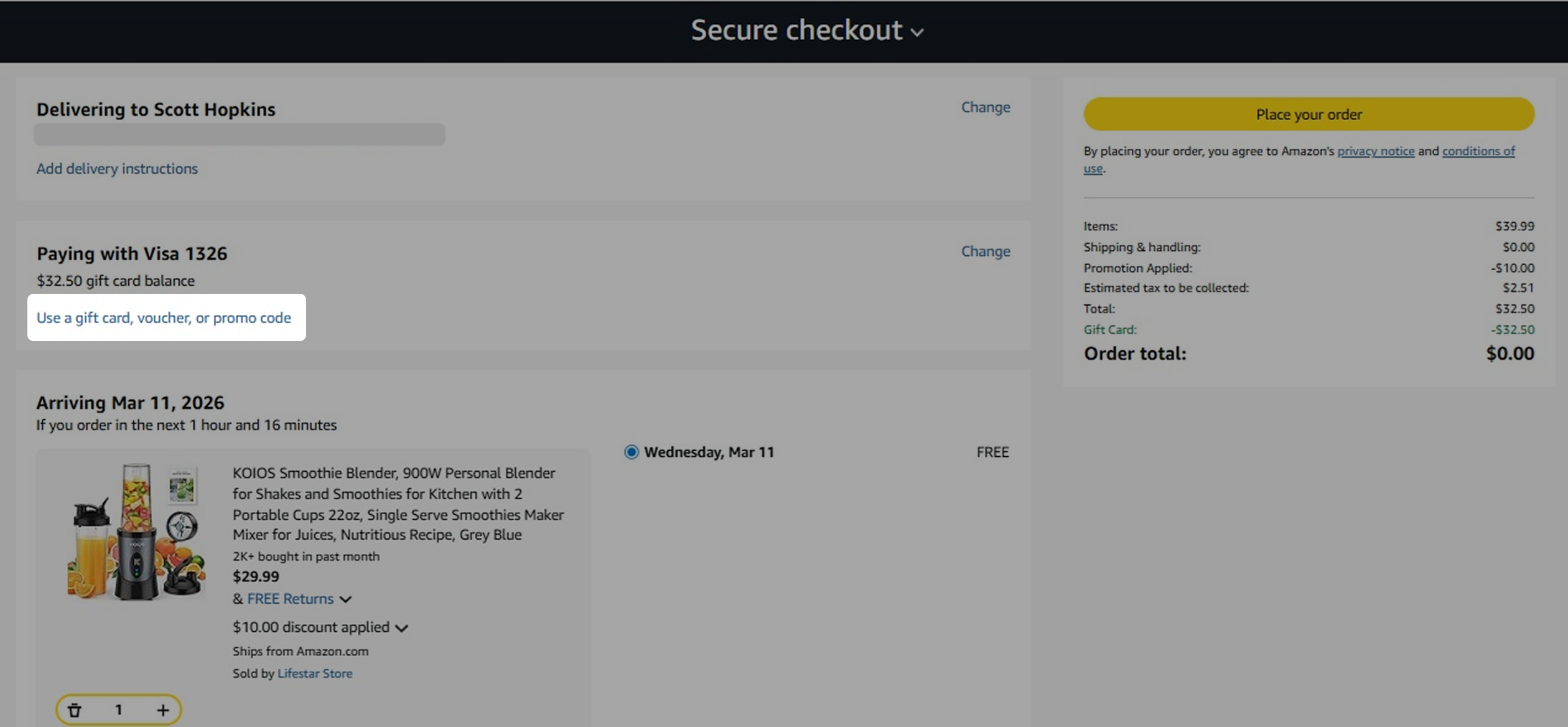
- (2) On the checkout page, click the blue link Use a gift card, voucher, or promo code.
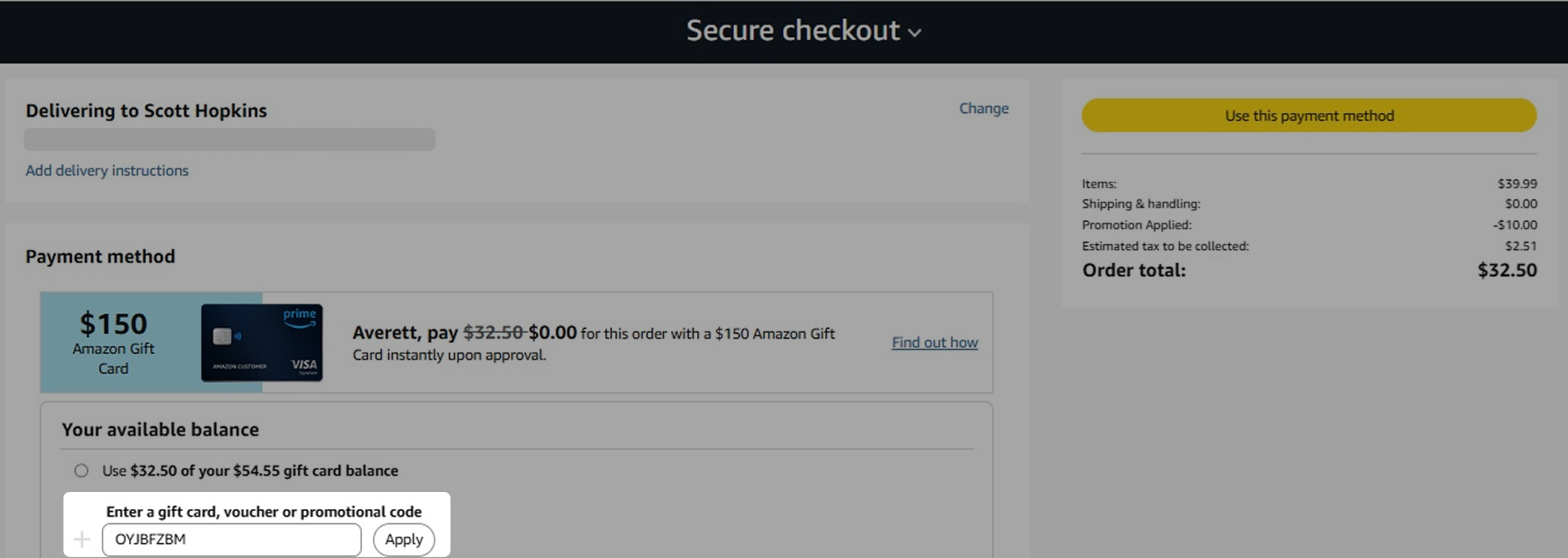
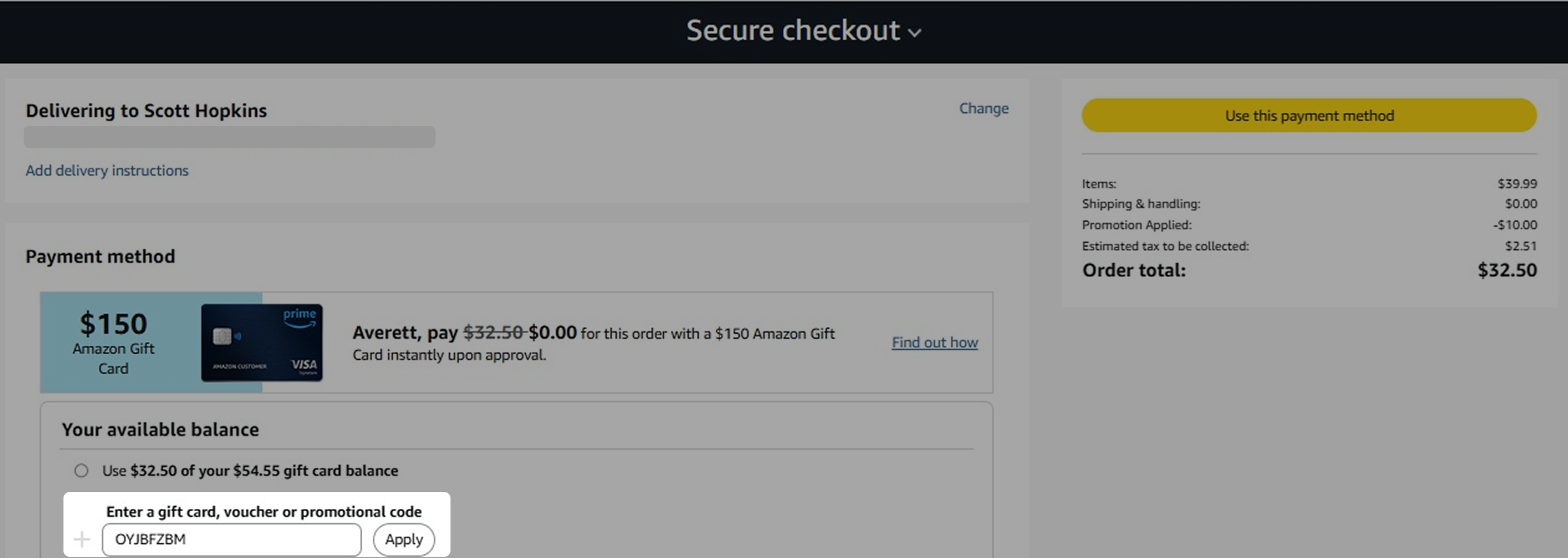
- (3) Enter the promo code into the field and click Apply.
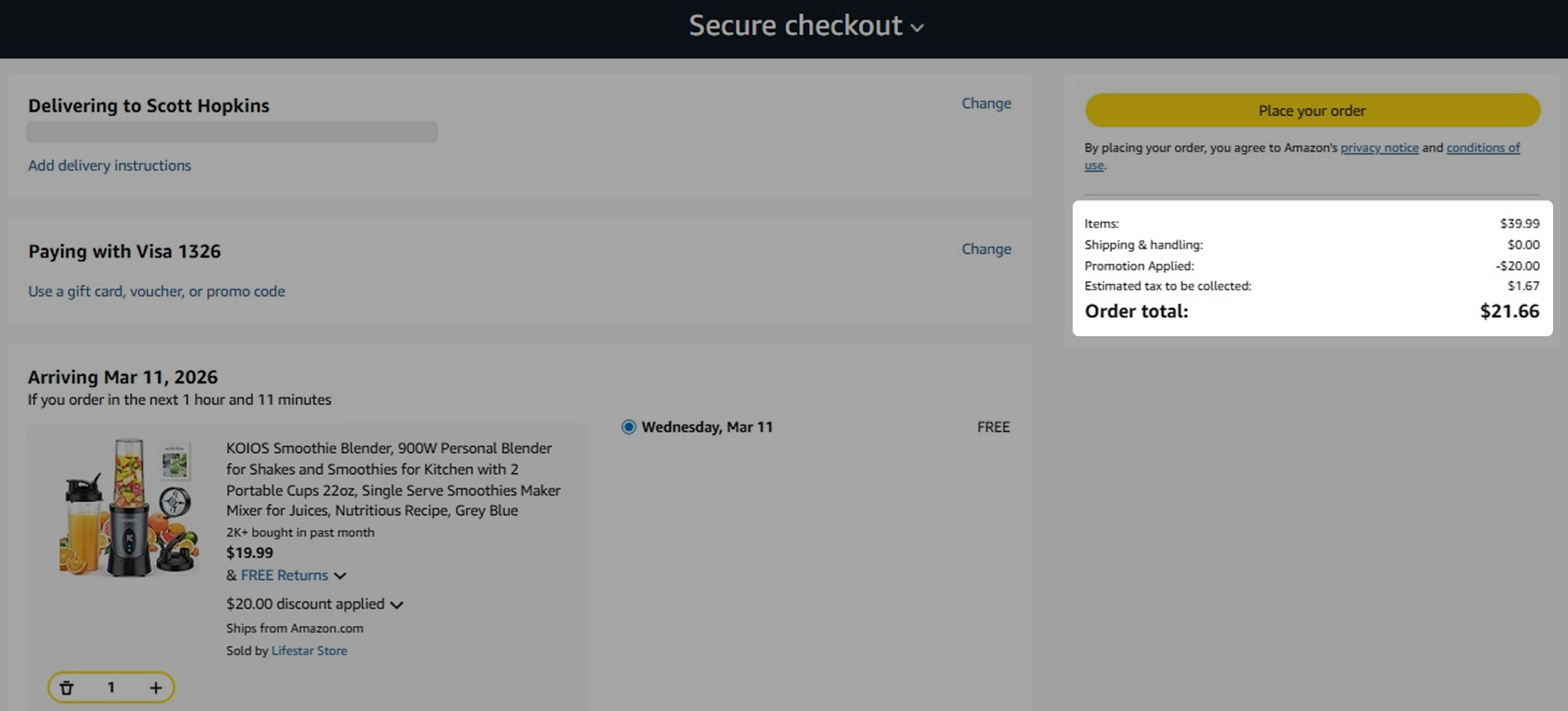
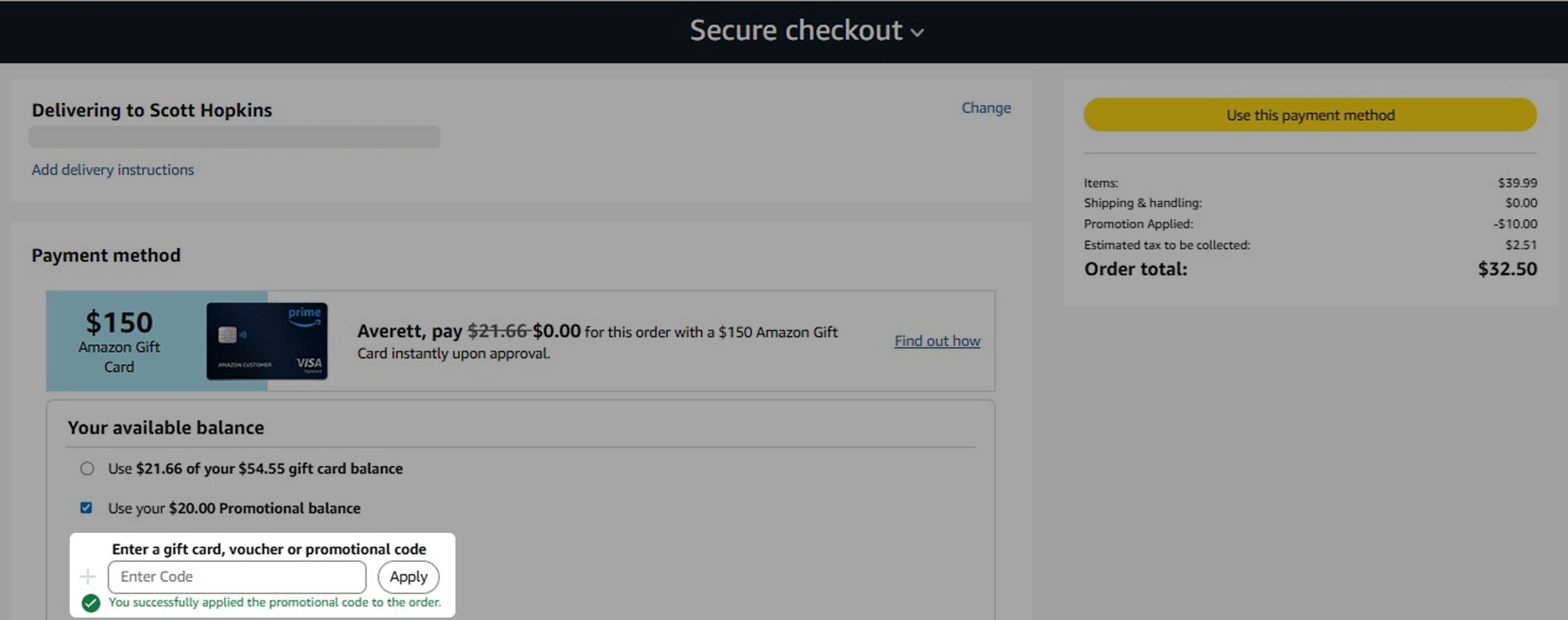
- (4) When you see the message "You successfully applied the promotional code to the order", click Use this payment method to view your updated order total with the discount applied.
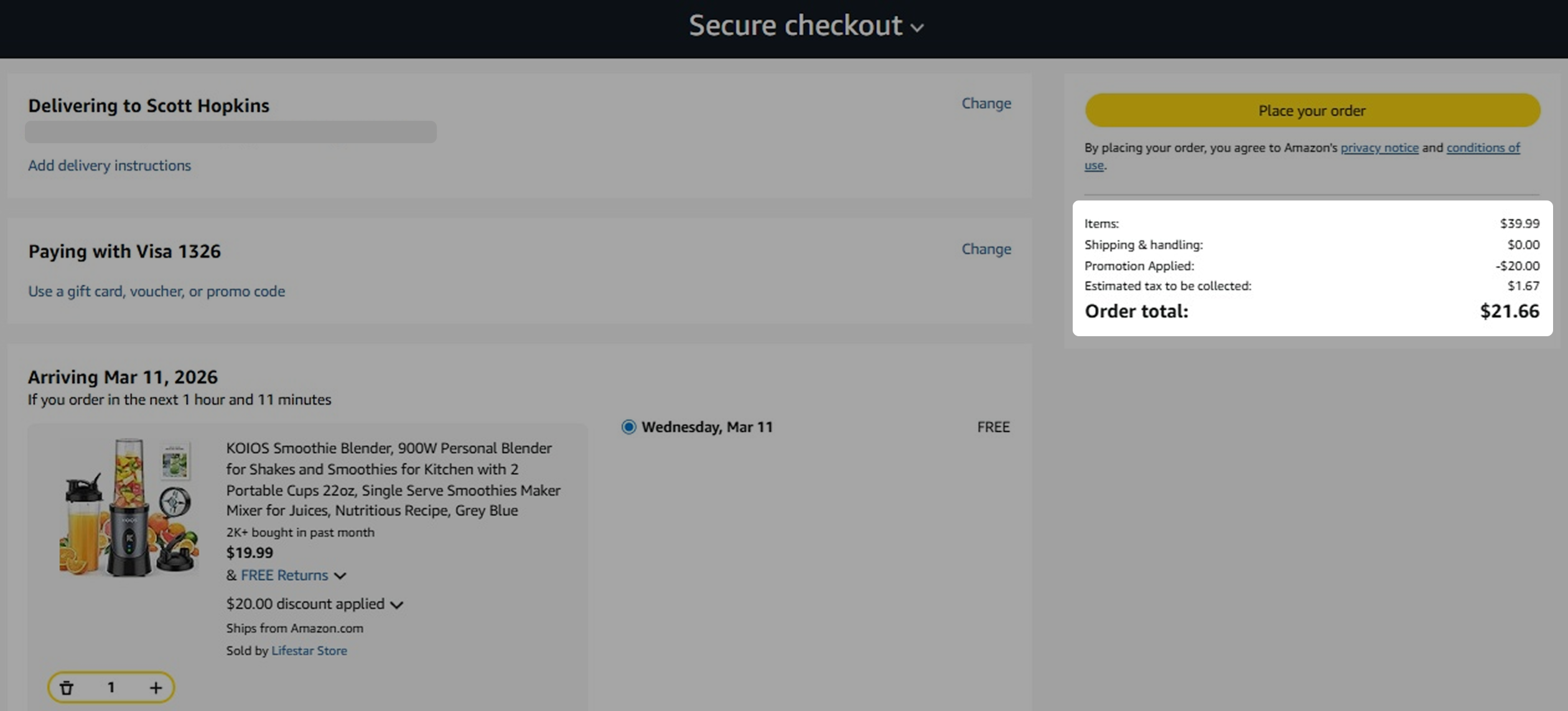
Option 2: Apply a Promo Code After Adding to Cart
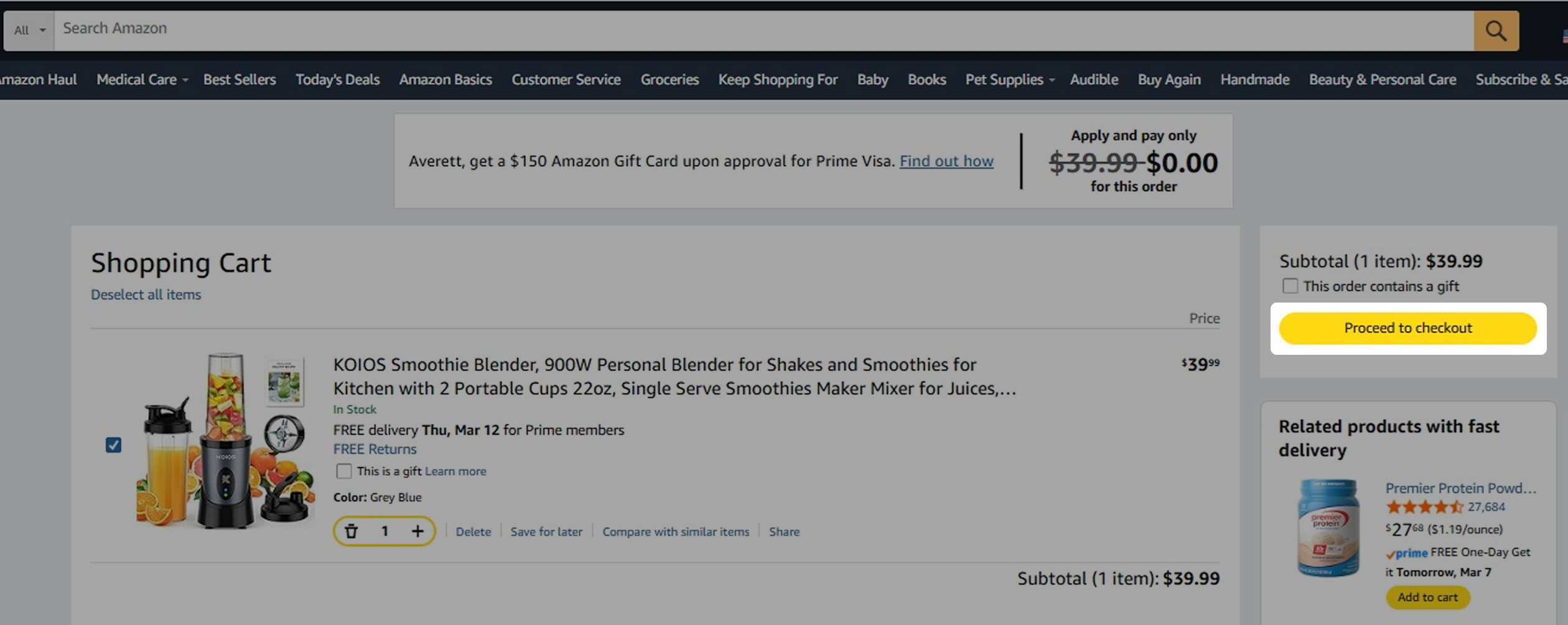
- (1) Click Add to Cart, then select Proceed to Checkout.
- (2) On the checkout page, click the blue link Use a gift card, voucher, or promo code.
- (3) Enter the promo code into the field and click Apply.
- (4) When you see the message "You successfully applied the promotional code to the order", click Use this payment method to view your updated order total with the discount applied.